How To Reinstall Windows XP (Full Step by Step Tutorial) Abeer Mirza
 This tutorial explains in a detailed 15 easy step-by-step procedure on
how to format your hard drive partition and reinstall Windows XP using
the Windows XP installation CD.
This tutorial explains in a detailed 15 easy step-by-step procedure on
how to format your hard drive partition and reinstall Windows XP using
the Windows XP installation CD.
This tutorial is created by me only. I have really worked hard on this post as I do in every other post so I have one request. Please show your appreciation by not stealing this post and do not copying it as is without giving me the credit for it. I would really appreciate it. Thank You!
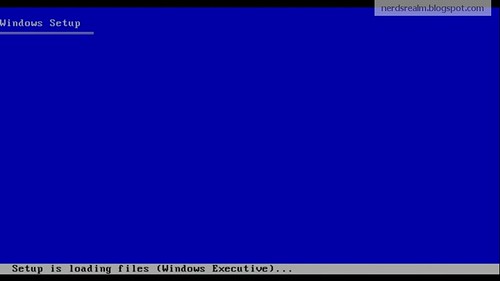
The computer will load the setup files automatically. This may take few minutes.
Next you will prepare your hard drive for the installation of Windows. you will see the list of hard drives and its partitions.
Step 3: Delete the partition prefix C: To do this select the partition and press the button D.

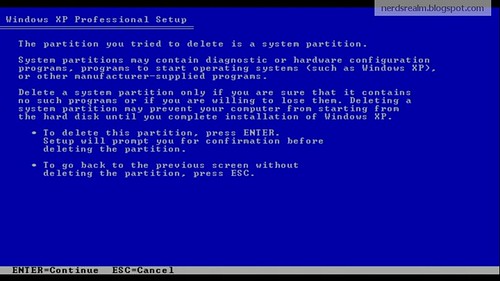
Step 4: Steup will warn you that this is a system partition. Press Enter
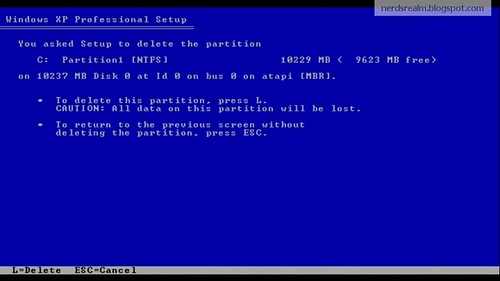
Step 5: To complete the removal of the partition, Press L when you see the screen below.
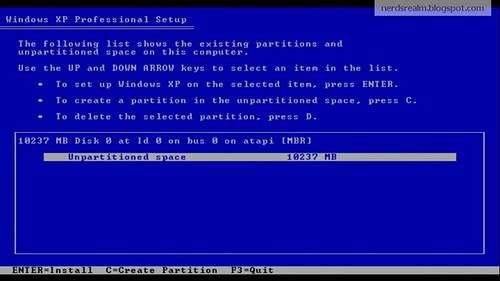
Step 6: You will return to the partition list. There should be unpartitioned space item on the list. highlight the unpartitioned space and press Enter.
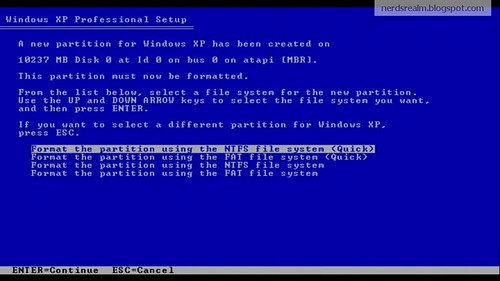
Step 7: You will be asked to select the format of partition you wan to use for your hard drive. I recommend to select NTFS (Quick). Press Enter to continue.
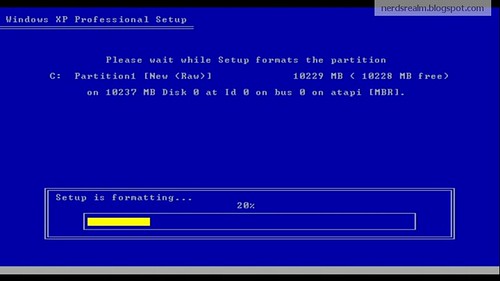
Setup will format the drive according to the preferences chosen in the previous option. This may take few minutes. After this process is done your hard drive will be completely empty.
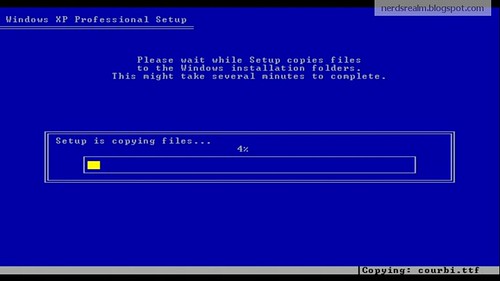
Now windows setup will copy the files from the CD that will be needed to install Windows XP. This will take several minutes so please be patient.
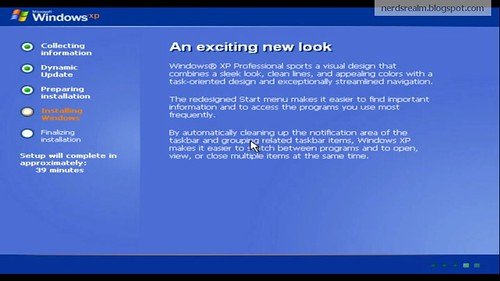
After the files have been copied, Windows setup will restart your computer. Don’t remove the Windows XP setup CD, and don’t press a key when prompted (we already did that).
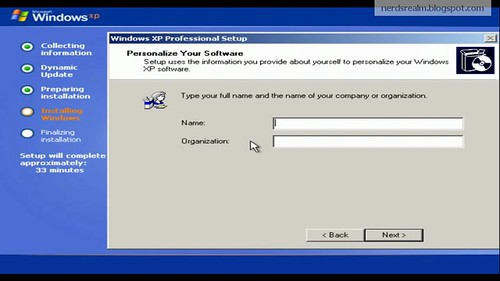
Step 8: Setup will ask for your name or the company name. Type in your name.
Step 9: At the next screen, you will be prompted to enter that oh-so-important CD-key, which is located on the back of the sleeve or it should be packed with the license agreement. Enter it carefully (if you make a typo it will not work, but you can return and correct it). The letters will automatically be capitalized.
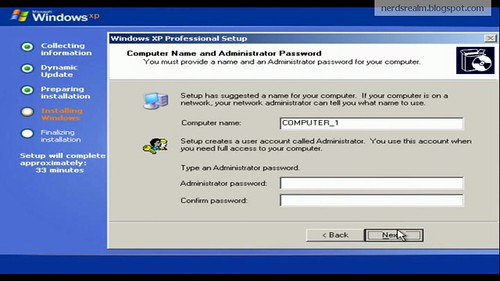
Step 10: Setup will ask for you to assign Computer name. Please type that in.
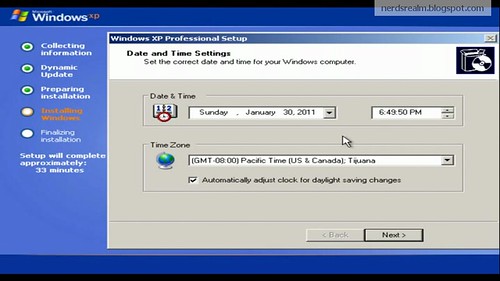
Step 11: Setup will ask for current day and time. Make sure you check the date and time and see if its correct or not and then click next. Setup will continue to install windows setup. This may take good bit of time so be patient.
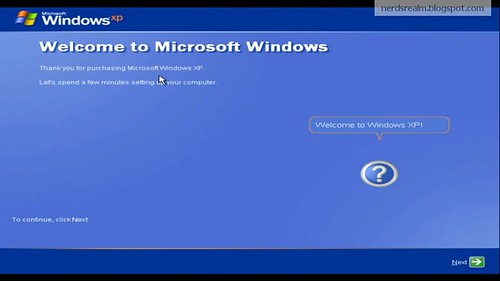
Once setup has installed Windows it will take you to a welcome screen.
Step 12: You will be given option to help protect the pc by turning on the automatic update. I recommend you choose Help protect my pc by turning on Automatic Update now.(This option can be changed later on).

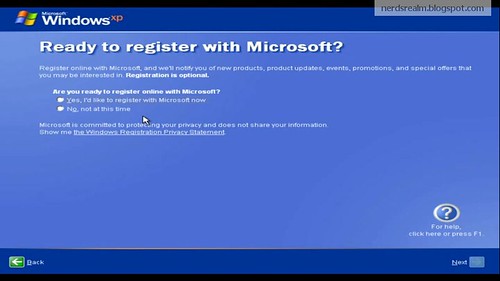
Step 13: Windows will ask you to register Windows XP. Choose No, not at this time
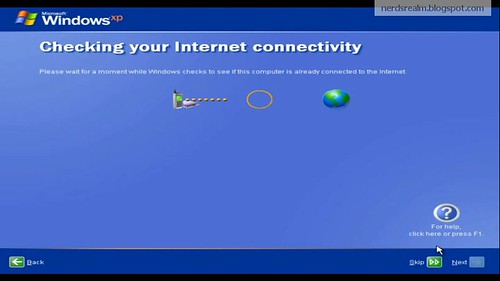
Step 14: Window will now make an attempt to connect to the internet. Click the little skip button at the bottom right.
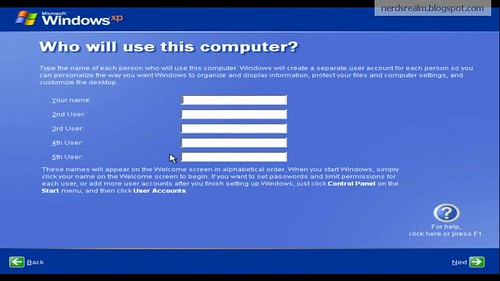
Step 15: Setup will ask you to type the name of the person using this computer. Fill in the name of the person using this computer that you want and click next.
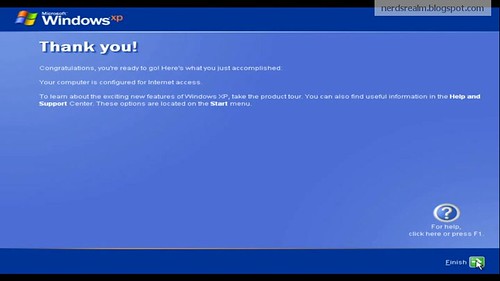
Finaly you will be flashed with a Thank You! screen. Click Next and your all done for the formatting and reinstalling part!
Congratulations! You have successfully installed Windows.
If Now You Have Any Problem So Contect Me On Mobile 03476613520
This tutorial is created by me only. I have really worked hard on this post as I do in every other post so I have one request. Please show your appreciation by not stealing this post and do not copying it as is without giving me the credit for it. I would really appreciate it. Thank You!
Before you start this procedure.
- Make sure to back up your data: First, make sure there is absolutely NOTHING you cannot afford to lose on the drive you're going to install Windows on (let's say the C: drive.)
- Make sure your network cable is unplugged from the wall (to avoid getting viruses from your local area network).
- You have a Windows XP installation CD with a valid Product Key.
- Hardware driver discs that shipped with the PC and any components you added on (Optional, but VERY strongly recommended
- Time & Patience (you need to be calm and give the setup a little time)
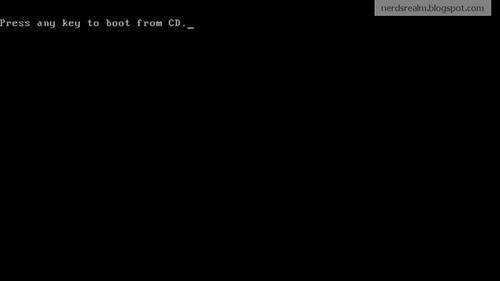
Step 2: The computer will prompt you to press any key to boot from the CD. Press a key on the keyboard to start the Windows Setup.
The computer will load the setup files automatically. This may take few minutes.
Next you will prepare your hard drive for the installation of Windows. you will see the list of hard drives and its partitions.
Step 3: Delete the partition prefix C: To do this select the partition and press the button D.
Step 4: Steup will warn you that this is a system partition. Press Enter
Step 5: To complete the removal of the partition, Press L when you see the screen below.
Step 6: You will return to the partition list. There should be unpartitioned space item on the list. highlight the unpartitioned space and press Enter.
Step 7: You will be asked to select the format of partition you wan to use for your hard drive. I recommend to select NTFS (Quick). Press Enter to continue.
Setup will format the drive according to the preferences chosen in the previous option. This may take few minutes. After this process is done your hard drive will be completely empty.
Now windows setup will copy the files from the CD that will be needed to install Windows XP. This will take several minutes so please be patient.
After the files have been copied, Windows setup will restart your computer. Don’t remove the Windows XP setup CD, and don’t press a key when prompted (we already did that).
Step 8: Setup will ask for your name or the company name. Type in your name.
Step 9: At the next screen, you will be prompted to enter that oh-so-important CD-key, which is located on the back of the sleeve or it should be packed with the license agreement. Enter it carefully (if you make a typo it will not work, but you can return and correct it). The letters will automatically be capitalized.
Step 10: Setup will ask for you to assign Computer name. Please type that in.
Step 11: Setup will ask for current day and time. Make sure you check the date and time and see if its correct or not and then click next. Setup will continue to install windows setup. This may take good bit of time so be patient.
Once setup has installed Windows it will take you to a welcome screen.
Step 12: You will be given option to help protect the pc by turning on the automatic update. I recommend you choose Help protect my pc by turning on Automatic Update now.(This option can be changed later on).
Step 13: Windows will ask you to register Windows XP. Choose No, not at this time
Step 14: Window will now make an attempt to connect to the internet. Click the little skip button at the bottom right.
Step 15: Setup will ask you to type the name of the person using this computer. Fill in the name of the person using this computer that you want and click next.
Finaly you will be flashed with a Thank You! screen. Click Next and your all done for the formatting and reinstalling part!
Congratulations! You have successfully installed Windows.
If Now You Have Any Problem So Contect Me On Mobile 03476613520